
Is Zillow Making You Look Bad?
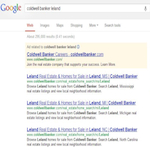
How many listings does it look like you have when you are Googled?
|
|

Top Pro Coaching Actionar® Assignment:
Step Four – Claim Your Free Gmail, Google Places, Google Maps, Bing, Yelp, Merchant Circle etc & Create Free Profiles Linking Keywords Back To Your Matching Website Pages. Be sure to RENAME photos with your name / keywords so they show in search engines before posting. Your sellers will see lots of homes when they Google you. (Tip: Keep titles short and add your name and Geographical Keywords in the description areas on pictures added to your website.)
1. Open & Sign into your Gmail Account.
2. Add a Pop Email Account of [email protected] to your gmail account.
3. While logged in connect Gmail to your YouTube Channel (Name channel with KEYWORDS)
4. Use Gmail to Associate Your Website with your YouTube Channel for Associated Links.
5. Open & Link Your Google Webmaster Tools by Adding the Code to Your Website.
6. Link Your Google Analytics – Connect Analytics Accounts by Adding Code to Your Website.
7. Set Up & Link Your Google Adwords to Your Google Analytics Account.
8. Go To Tools, Click the Dropdown, and Search Keywords.
9. Better yet, hire someone you trust to set this up and have us help you choose keywords.
10. See Videos Below or Contact Google for Adwords Help 1-866-2GOOGLE (1-866-246-6453)
Top Pro Coaching & Related Topic Videos
Top Pro Training Matching Documents

Back to Page 103
Visit the Library
Certified Expert 10 Course Index
